.png)
Reimagining contextual business travel management with an AI agent
(I worked on this project in AI agent bootcamp by Yuwei Fu, UX Director, Oracle)
Curious how AI can improve nuanced work where traditional ERP systems fall short
When I was s project manager, I led ERP implementation for travel expense management workflow and leanred how nuanced and context-dependent the workflow can be, with many decisions still handled manually. At that time, ERP had limited ability to handle these cases. Now with AI, it is easier to consider context, so I explored how AI can further enhance travel expense management experience in this project.
What if I used AI for the entire design process?
I was also curious about how AI could support the design process, especially in complex enterprise product design. In this project, I experimented with using AI at every stage.



Competitor research
Define goals
Explore opportunity
Create scenario

Create sample data
Explore visual design
Final design here
aaaa
Business travel planning and expense management requires manual work and nuanced human judgment
First, I researched typical business travel and expense workflows using AI. The process usually begins with trip planning and pre-approval, followed by post-trip expense submission, review, and reimbursement.
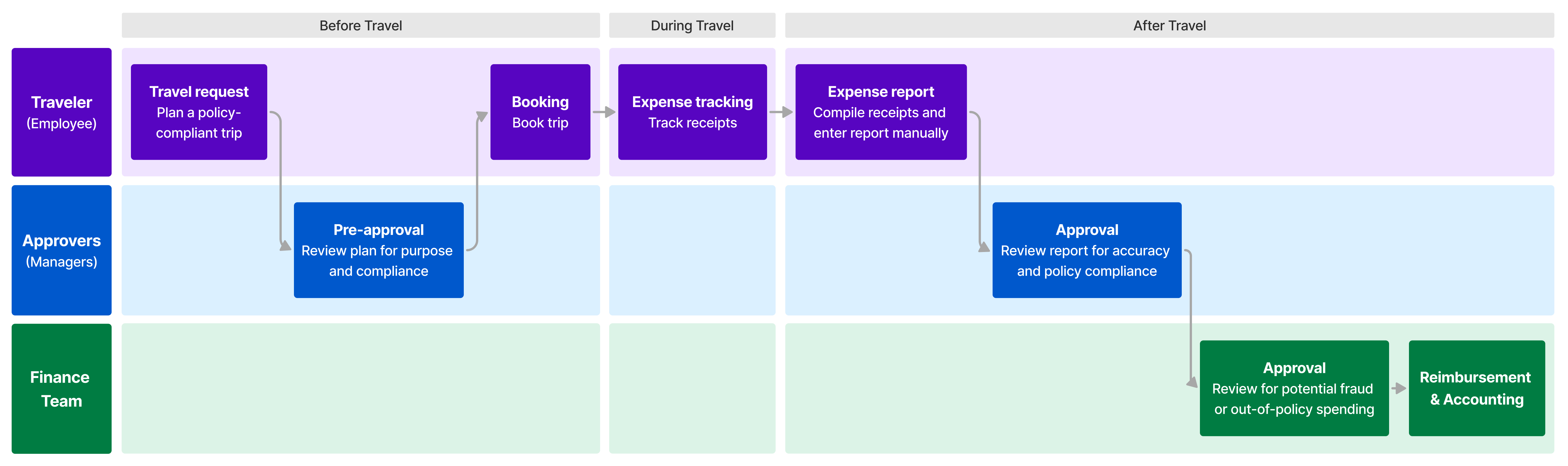
Expense management involves multiple stakeholders and context-dependent decisions. Travelers, approvers, and finance teams all face manual work, exceptions, and error risks, making the process fragmented and inefficient. Even with defined policies, many exceptional cases still rely on human judgment beyond what traditional systems can handle.
TBD
Deep contextual support elevates AI agents beyond today’s competitors
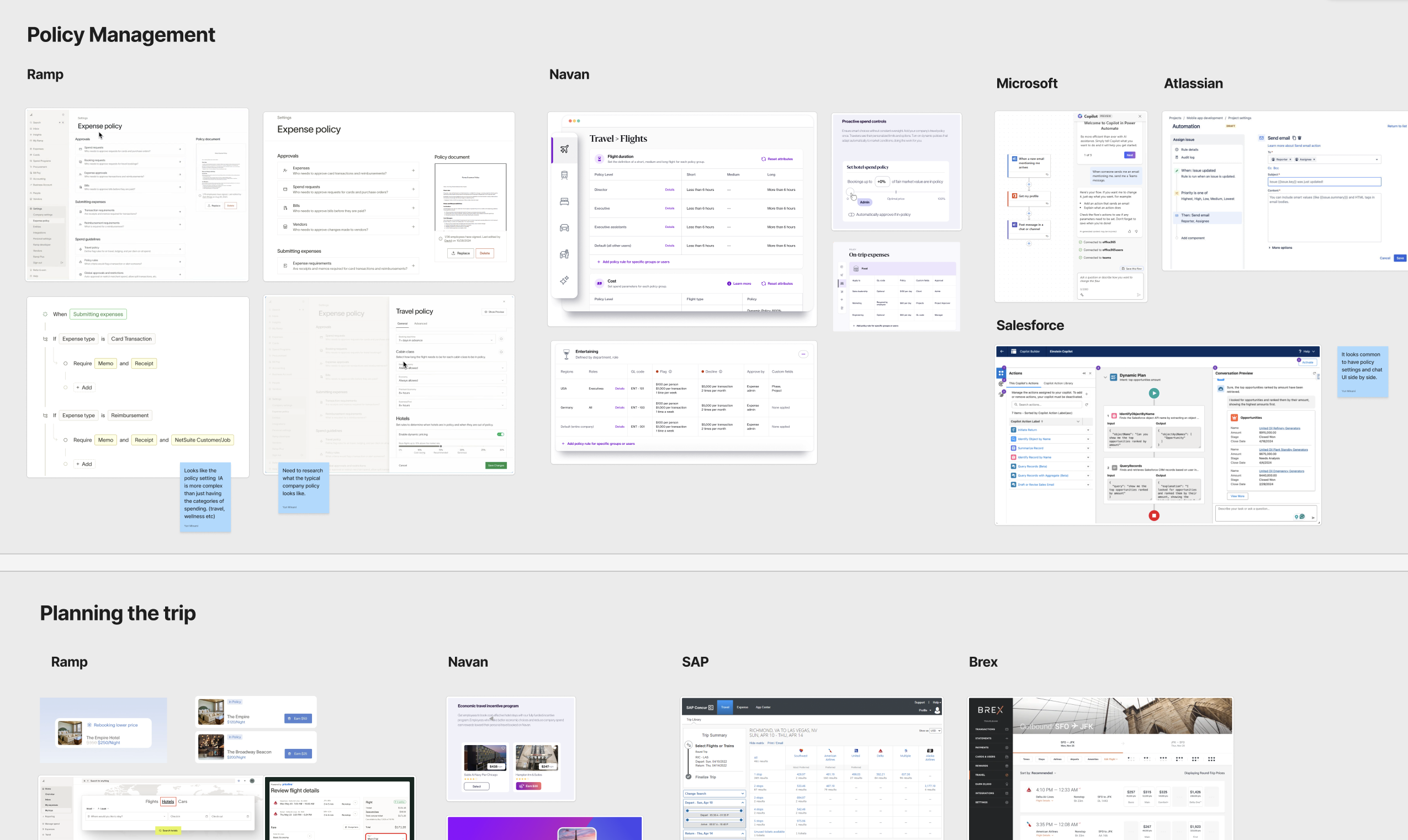
I researched competitors using AI, reviewing strengths, weaknesses, features, and UI patterns across platforms such as Navan and Ramp to identify opportunities for an AI agent. This revealed that while competitors offer AI features, they still rely on rigid rules and task focused automation.
Reduce manual work in travel planning, reporting, and approvals while keeping policy compliance and a good employee experience, even in contextual cases ✈️
This project is a personal exploration, so there are no concrete metrics available. If it were designed for an internal organization, I would use these metrics to assess its impact.
analysis accuracy
AI agent as proactive partner
To begin, I defined the AI agent’s personality traits, voice and tone, and key behaviors needed to support users as an effective collaborator. These elements guided how the AI assisted users throughout the workflow.
Defining core features and rough design direction
I first used Gemini and ChatGPT to outline rough features and workflows, then explored visual directions with Figma Make. This led me to define 4 key feature directions.
Creates a personalized, policy compliant trip plan by checking rules, user intent, connected info like calendar and approval history, and external factors. It drafts travel options and adapts to exceptions.
Reduces time spent navigating detailed policies, and makes trip planning faster.
Employees who travel
.png)
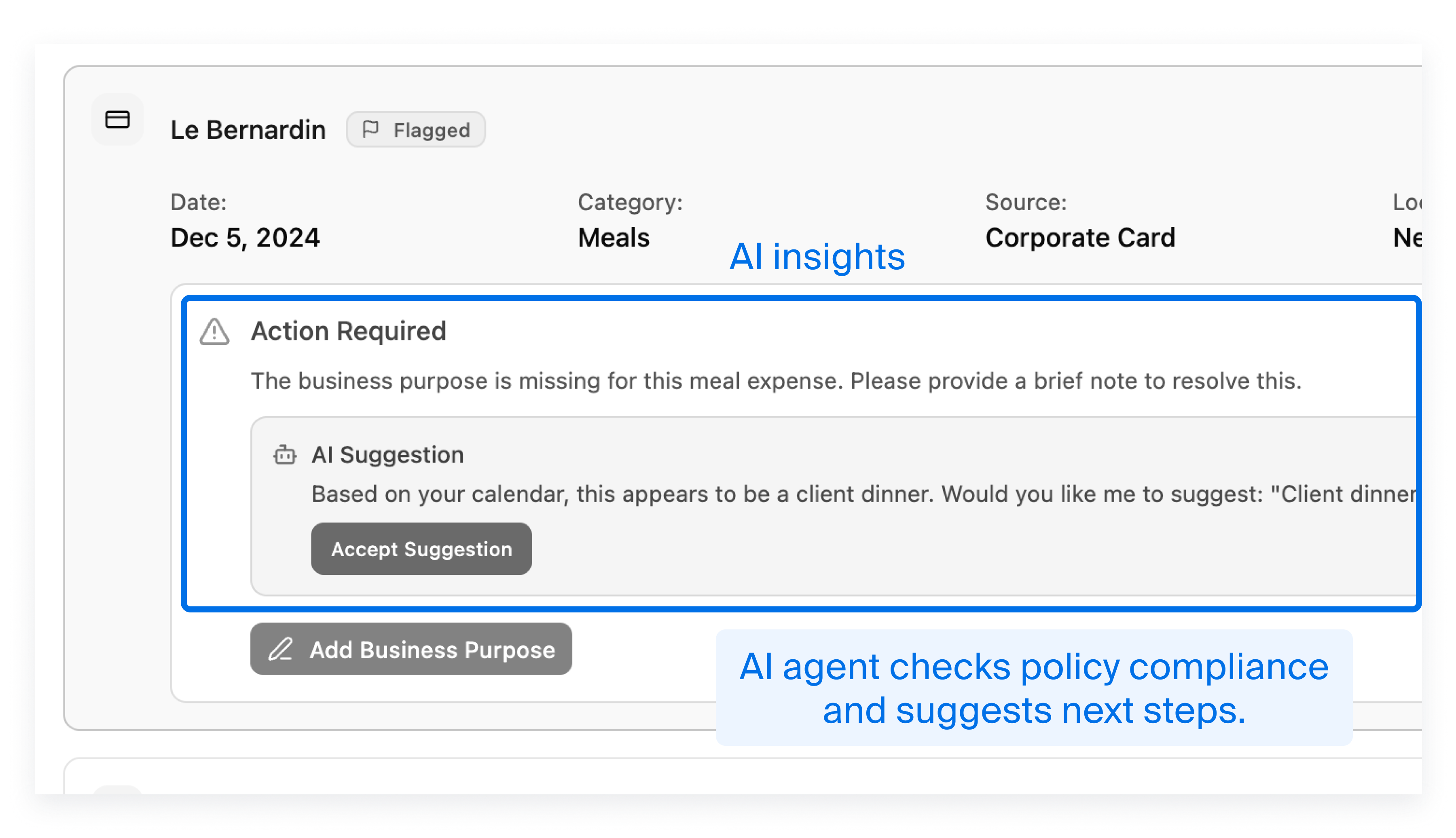
Creates a policy aware expense report by auto capturing receipts, categorizing expenses, and running compliance checks. It fills missing information, drafts context based justifications, and guides the user through resolving flagged items.
Reduces the manual work of interpreting policies, preparing reports, writing justifications.
Finance team, which manages expense policy
Supports trip expense approvals by checking expenses and surfacing key insights such as flagged points. It recommends next steps based on context and relevant history.
Managers and finance teams can focus on higher level judgment.
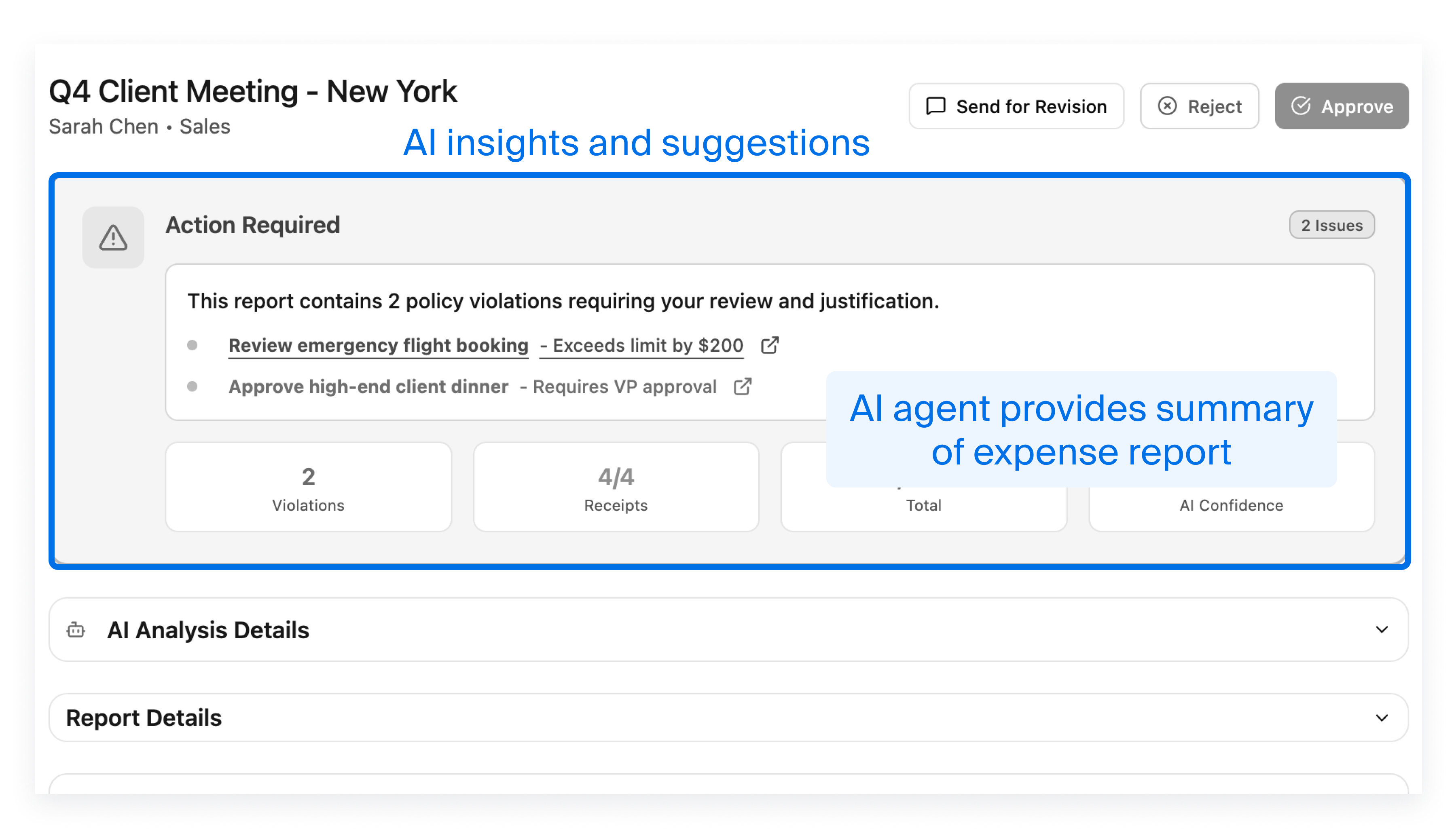
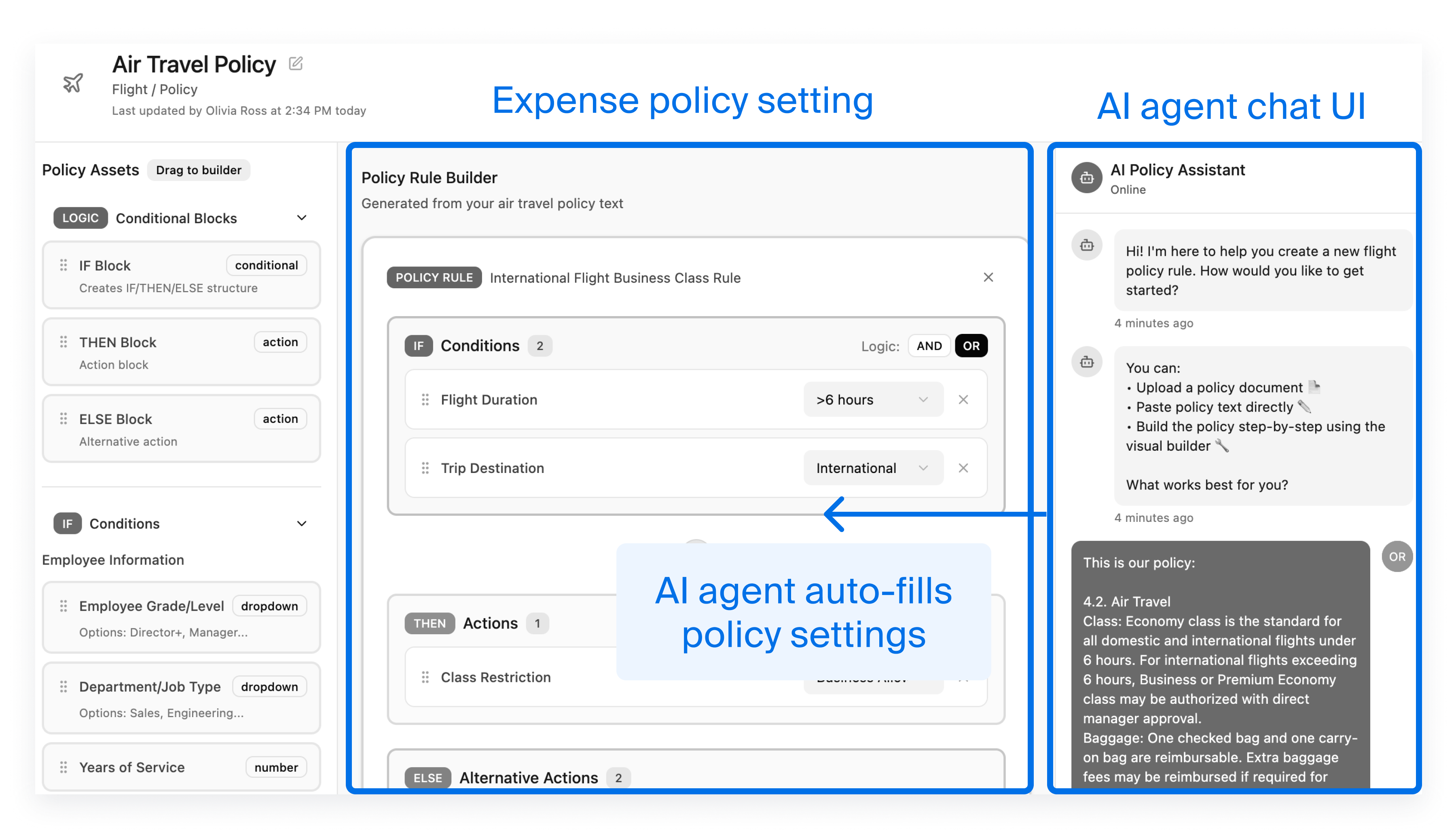
Turns complex travel expense rules into clear settings by parsing policy documents and capturing soft operational nuances.
Reduces admin effort for audit and finance and makes the system aligned with intended operations.
Finance team, which manages expense policy
As a former engineer, I was impressed by how quickly AI generated code. But in the early stage, the prototype distracted me from the core problem because it added unnecessary features and visual details. Combined with an unestablished IA, refining design felt overwhelming particularly for an complex enterprise workflow. I wanted to explore multiple UI options but it was hard with Figma Make.
The AI prototype was also not fully high-fi with inconsistent visual design. Yet, AI is inefficient for adjusting small details. But generating a working prototype in Figma Make and then returning to Figma also feels like duplicated effort... These findings made me reflect on the role of an AI prototype in the process. I am still exploring the best design workflow.
Round 1 prototyping revealed the need to narrow the scope and define a focused scenario
The 1st iteration set the direction, but I needed to define more details on how the AI agent works. However, travel policies vary by company and business travel has many types exceptions, so covering everything at once was unrealistic. So, I made sample expense policy and scenario using ChatGPT as a starting point.
The sample policy includes basic rules such as booking requirements, rate limits, and expense reporting steps. It also leaves room for human judgment or contextual decisions like these:
• "Most cost effective without compromising safety or comfort"
• "Reimbursed if required for business purposes"
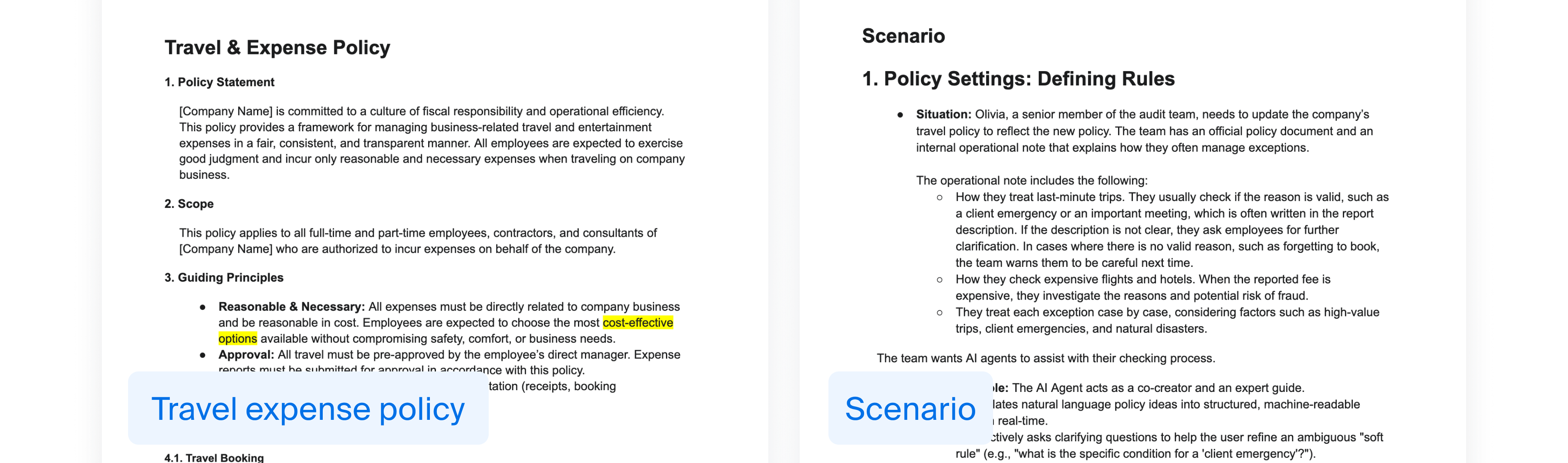
I created a realistic scenario that goes beyond the happy path and includes exceptions, flagged items, and user preferences, so I can think through how the AI agent should support these cases.
• Price increases caused by external events
• Client entertainment meal
• Preferences of seat type, hotel brand, or location
• Abstract travel preferences (such as transport between meetings)
I also created an expense transaction list and sample receipts as a starting point for defining the ideal expense management workflow.
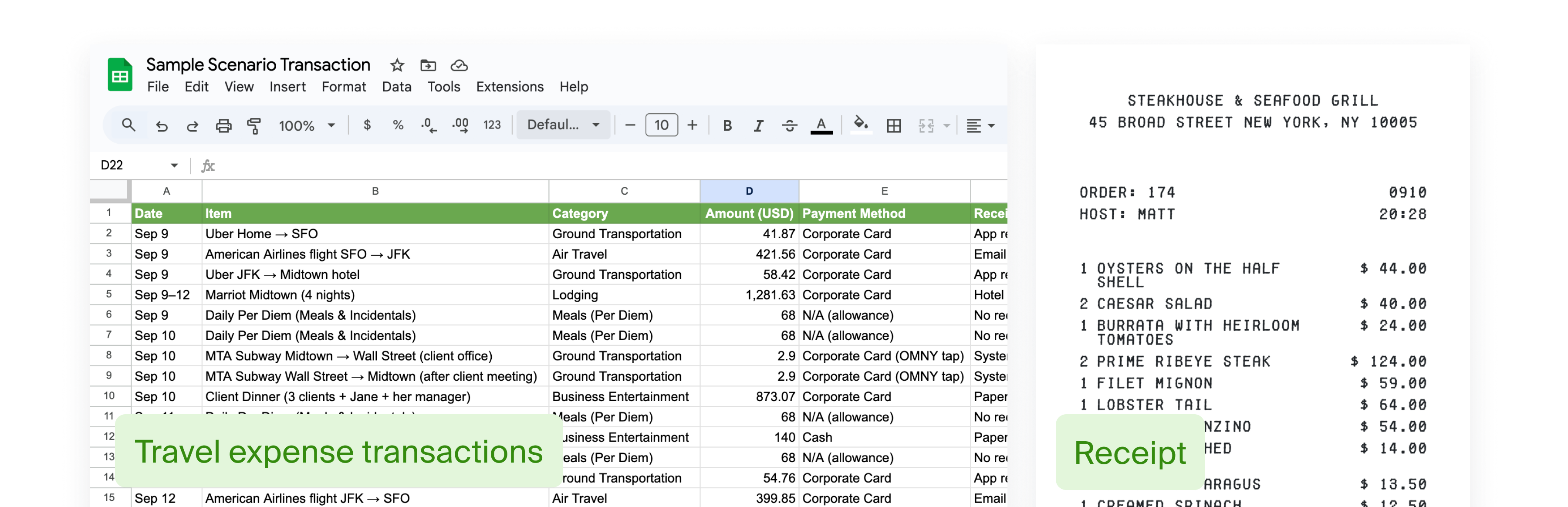
AI agent as proactive partner
The workflow and specification is important to build an enterprise feature, and that part needs to be well-defined.
I added the elements I needed for the workflow into the prompt so ChatGPT would return the right information. I also asked ChatGPT to review and refine the prompt.
You are a UX designer creating an enterprise product. Based on the following requirement, generate a step-by-step user flow.
# Format
For each step in the flow, include:
- Overview: Short summary of the step
- Actor: Who performs this step (e.g. Employee, Manager, AI agent)
- Condition/ Action Trigger: When this step occurs
- Action: What the actor does (e.g. fills out form, clicks submit)
- Input: Data or choice referred
- Output: Data or documents produced
- Error Handling / Exception: What happens if something goes wrong
# Context
{{ Insert requirement and overview of feature, and scenario }}
Adding complex feature spec and fixing visual design consistency
The workflow and specification is important to build an enterprise feature, and that part needs to be well-defined.
I added the elements I needed for the workflow into the prompt so ChatGPT would return the right information. I also asked ChatGPT to review and refine the prompt.
You are a UX designer creating an enterprise product. Based on the following requirement, generate a step-by-step user flow.
# Format
For each step in the flow, include:
- Overview: Short summary of the step
- Actor: Who performs this step (e.g. Employee, Manager, AI agent)
- Condition/ Action Trigger: When this step occurs
- Action: What the actor does (e.g. fills out form, clicks submit)
- Input: Data or choice referred
- Output: Data or documents produced
- Error Handling / Exception: What happens if something goes wrong
# Context
{{ Insert requirement and overview of feature, and scenario }}
aaa
aaa
As a former engineer, I was impressed by how quickly AI generated code. But in the early stage, the prototype distracted me from the core problem because it added unnecessary features and visual details. Combined with an unestablished IA, refining design felt overwhelming particularly for an complex enterprise workflow. I wanted to explore multiple UI options but it was hard with Figma Make.
The AI prototype was also not fully high-fi with inconsistent visual design. Yet, AI is inefficient for adjusting small details. But generating a working prototype in Figma Make and then returning to Figma also feels like duplicated effort... These findings made me reflect on the role of an AI prototype in the process. I am still exploring the best design workflow.
Prototype
As a project manager at my previous company, I led a client’s shift from paper-based travel expense reports to an enterprise workflow. The experience revealed how nuanced and context-dependent expense management can be, with many decisions still handled manually. It sparked my curiosity about how AI agents could understand context to create smoother, smarter experiences.
Prototype
As a project manager at my previous company, I led a client’s shift from paper-based travel expense reports to an enterprise workflow. The experience revealed how nuanced and context-dependent expense management can be, with many decisions still handled manually. It sparked my curiosity about how AI agents could understand context to create smoother, smarter experiences.
Prototype
As a project manager at my previous company, I led a client’s shift from paper-based travel expense reports to an enterprise workflow. The experience revealed how nuanced and context-dependent expense management can be, with many decisions still handled manually. It sparked my curiosity about how AI agents could understand context to create smoother, smarter experiences.
Prototype
As a project manager at my previous company, I led a client’s shift from paper-based travel expense reports to an enterprise workflow. The experience revealed how nuanced and context-dependent expense management can be, with many decisions still handled manually. It sparked my curiosity about how AI agents could understand context to create smoother, smarter experiences.
AI can speed up design, but complex products still need human judgement and critical thinking
AI helped me quickly understand user workflows and competitors, but prototyping complex features while maintaining consistency required extra prompting and refinement. I also learned the importance of critical thinking, as AI often adds unnecessary details. Moving forward, I want to explore how AI can best integrate into design workflows, whether for early exploration or refined handoff.
What if I used AI for the entire design process?
I was curious about how AI could support the entire design process, especially in complex enterprise product design. In this project, I experimented with using AI at every stage, from research and ideation to prototyping and refinement.
As a former software engineer, I was impressed by how quickly AI generated code. But in the early stage, the prototype distracted me from the core problem because it added unnecessary features and visual details (Maybe I should have explicitly asked for low-fi.). Combined with an unclear information architecture, design task felt overwhelming for an complex enterprise workflow. I also wanted to explore multiple UI options, not just the single direction that AI produced.
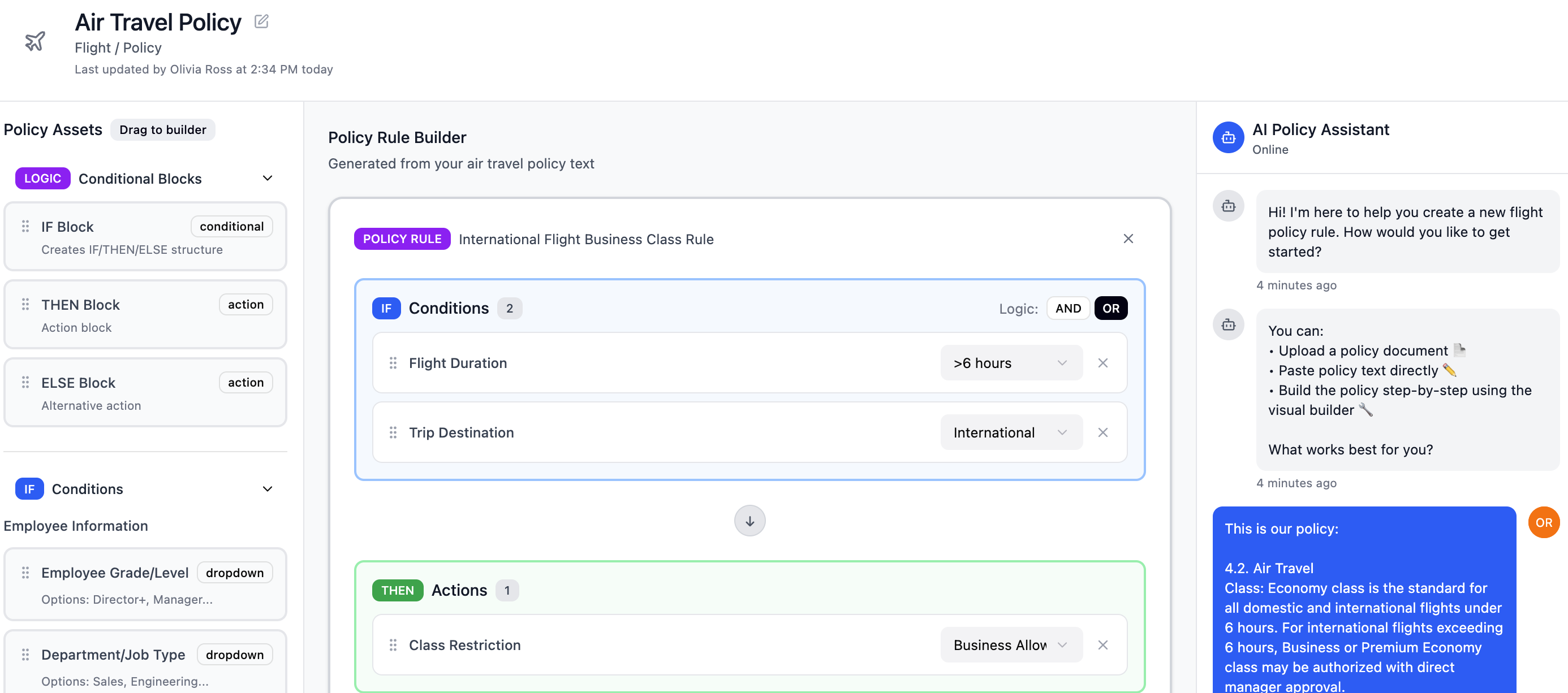
However, the AI prototype was not fully high-fi. AI is also inefficient for adjusting small details (Fixing simple design through prompts takes 10+ seconds, while I can update it directly much faster). But generating a working prototype in Figma Make and then returning to Figma for the final spec feels like duplicated effort. These findings made me reflect on the role of an AI prototype in the process. I am still exploring the best design workflow.
Developing complex HR features without designers
Our team built custom ERP add-ons for a 20K-employee client to manage complex HR workflows. Since we didn’t have designers, solution consultants handled specifications. However, design was not well understood and was considered a relatively low priority.
AI helped me quickly understand target users’ workflows and competitors, but when it came to prototyping, I found it challenging to handle complex features, maintain visual consistency, and refine details, it often required extra prompting effort. I also realized the importance of critical thinking, since AI tends to add unnecessary details. Going forward, I want to explore how AI can best fit into a design team’s workflow, whether prototypes are more effective for early exploration or can be refined for direct handoff.


Inefficient design process slowed the project
We designed for a client’s complex internal workflow involving multiple user roles, many steps, numerous exceptional business rules, and client-specific jargon, which made the project especially challenging.


Confusing spreadsheet-based specification documents
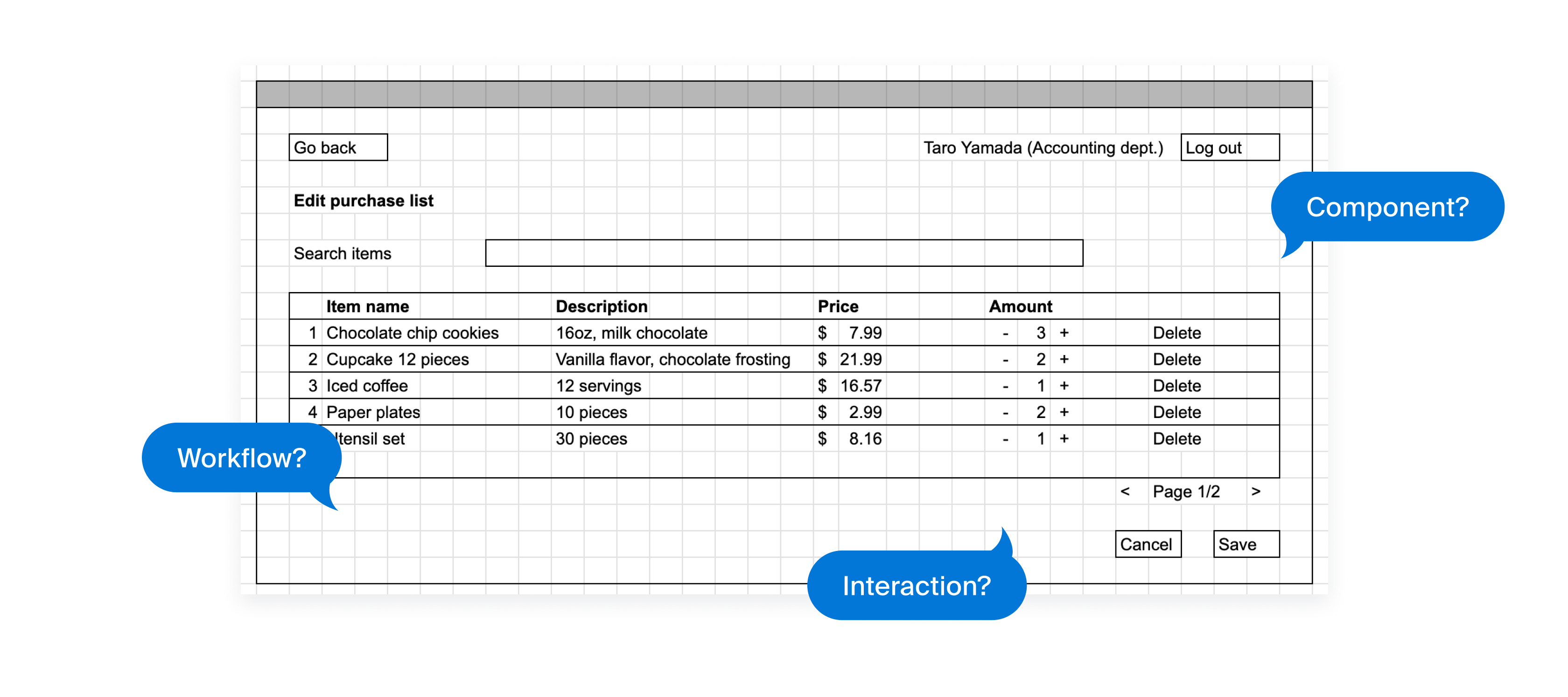
We used spreadsheets to manage specifications, which often led to misunderstandings, extra work, and excessive communication around details like components to use, interaction and workflow.
Feasibility issue found, taking time for redesign and approval
Because we used a component library, development feasibility and effort largely depended on the components available. Engineers could suggest improvements, but often too late in the process, requiring solution consultants to go back to clients for confirmation.

Enable a non-design team to design intuitive, feasible features that address client needs more efficiently
Explored how to leverage design thinking for the team
As an engineer with a passion for design, I took on the challenge of solving this problem using design thinking. Due to project constraints, I needed to adapt the approach rather than follow every step. I discussed with the team to gather insights on what could improve efficiency the most and defined 3 key focus areas.
Visualize workflow
Document spec better
Fix early in the process
Here is our new design process
Based on the new strategy, I updated the design process. Here’s what the revised process looks like.

Added workflow mapping step before design
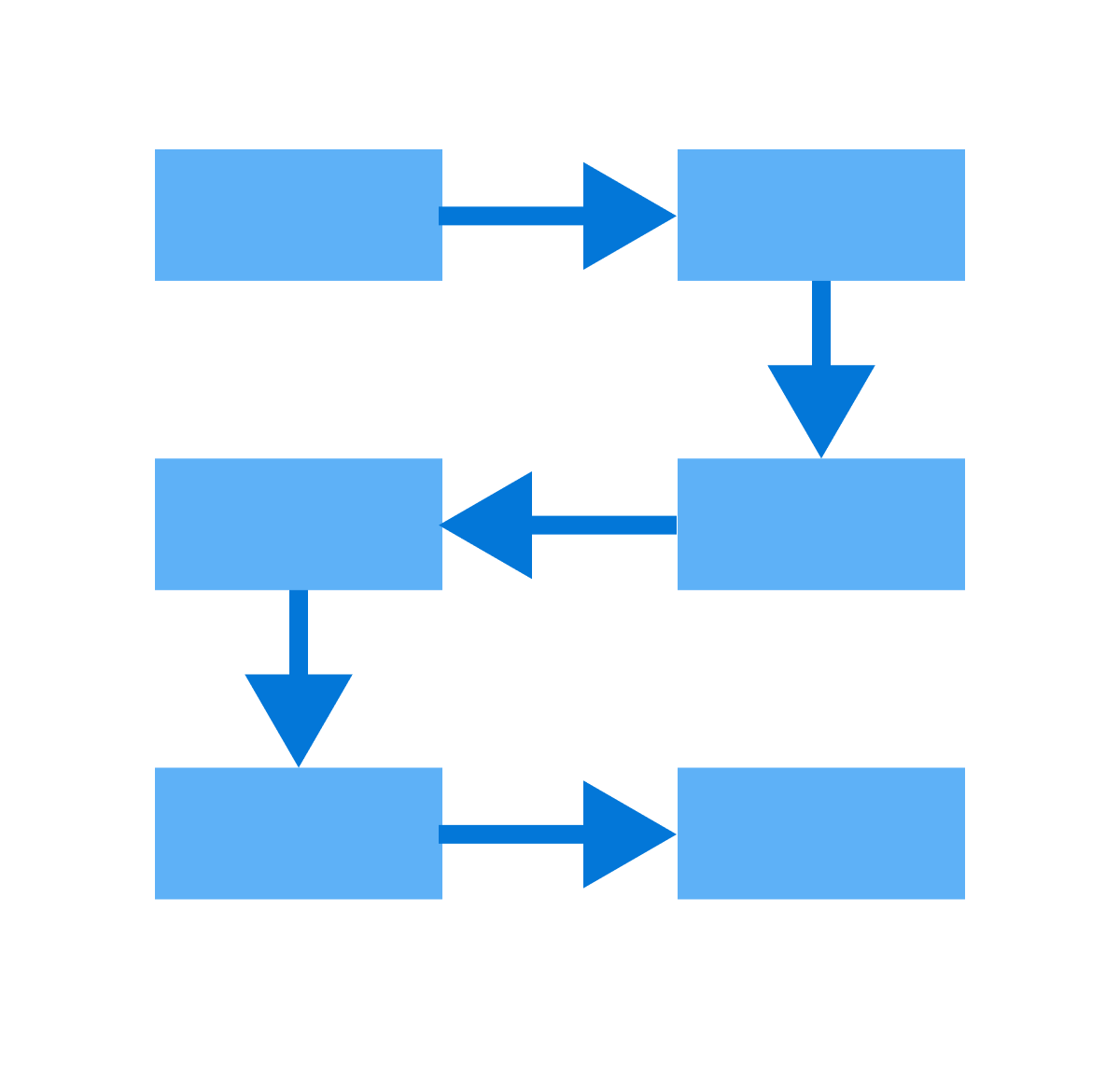
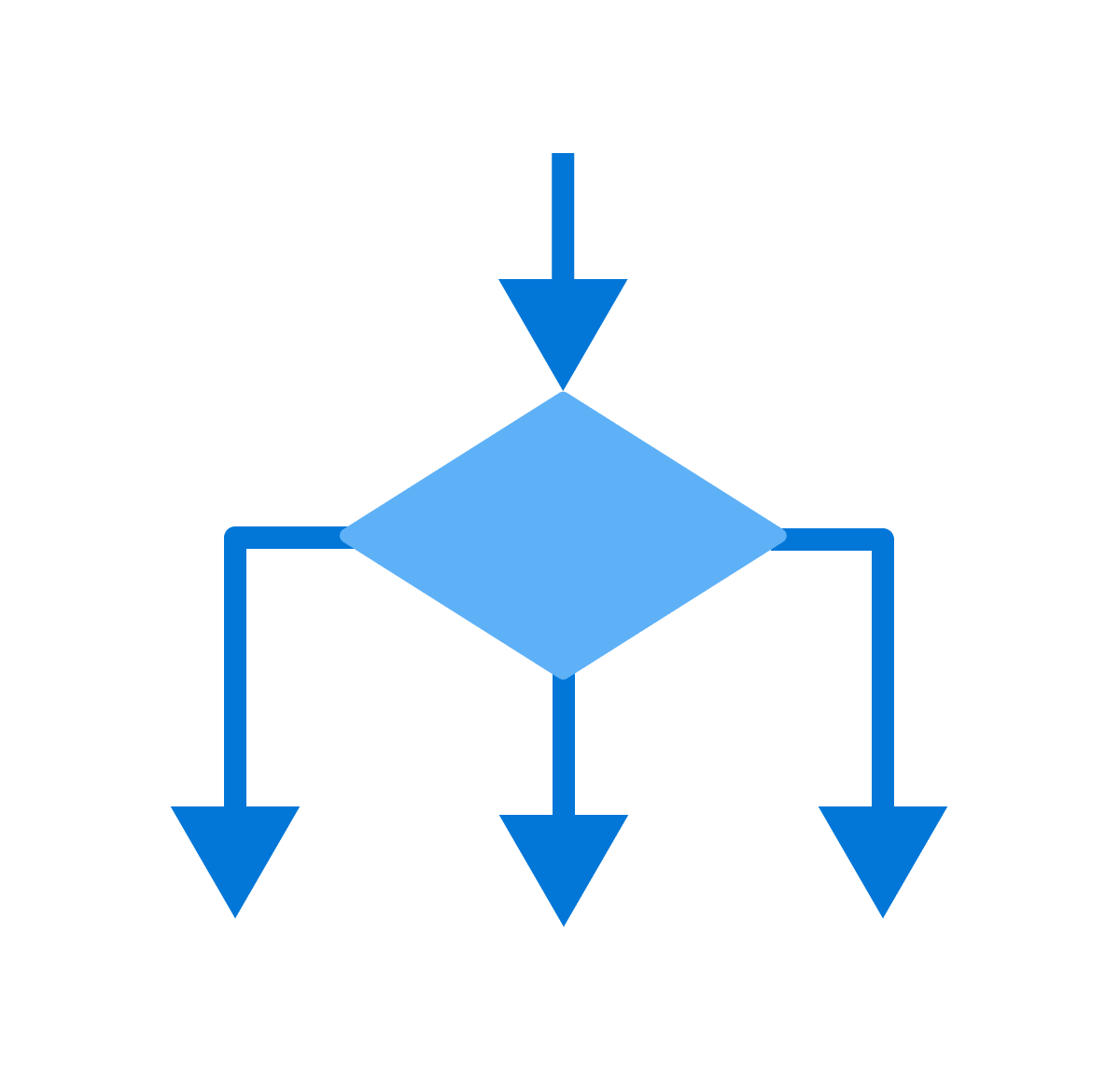
Mapping the current and ideal workflows made it easier for clients and our team to align on the target flow. I researched common flowchart documentation methods and tools, adopted draw.io, and established a consistent format with simple flowchart rules.
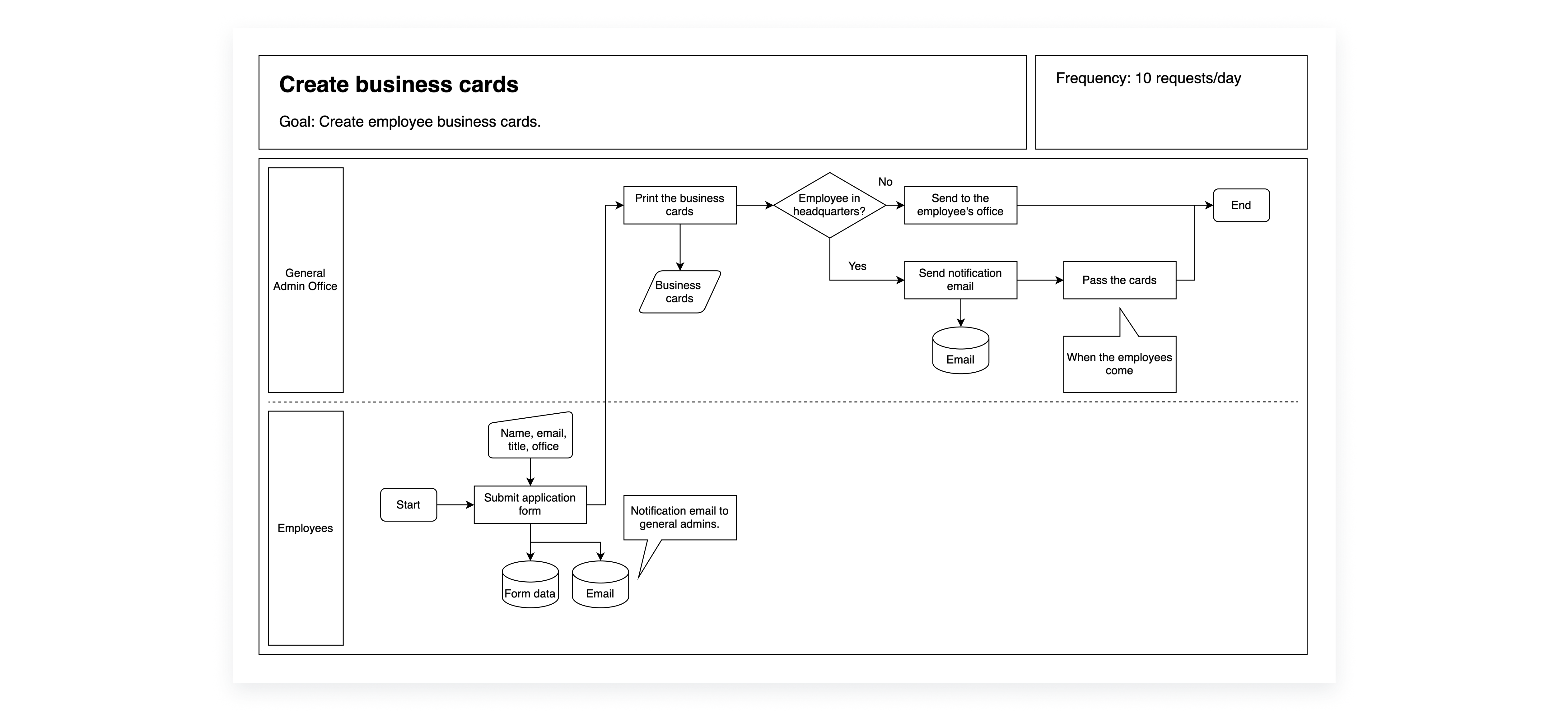
I evaluated draw.io and Mermaid, focusing on how easily the team could learn and use the tool, and decided on draw.io.


Introduced prototyping and detailed specification documentation
I replaced the spreadsheet-based wireframes with Figma prototypes. Because the workflow we managed was highly complex, using Figma alone wasn’t enough to fully capture how the features should function. To address this, we complemented the prototypes with a text-based specification document that mapped the client’s requirements to the functionality of our add-on features.
.png)
.png)
Since our team didn’t have dedicated designers, I focused on simplifying design tasks to make the new process practical and sustainable. I leveraged existing frameworks and resources, and shared design knowledge through presentations and documentation.

Used Material Design

Adopted UI kit
Shared knowledge
Encouraged cross-functional discussions on feature design with engineers
I set up internal meetings before sharing designs with clients to ensure feasibility. These sessions provided opportunities for engineers to share technical limitations and for solution consultants to contribute their understanding of client workflows and requirements.
Pilot testing confirmed the new process works
During pilot testing, we applied the new development process to design several new features, reducing communication time between developers and consultants by about 30 minutes per ticket. I left the company to pursue my master’s but would have continued improving and evaluating the process if I had stayed.
I am curious how AI can even enhance the process
I learned how to make the design process practical and sustainable for a team of non-designers by leveraging existing frameworks, resources, and sharing design knowledge. This project took place in 2023, and if I were to revisit it today, I would explore incorporating AI tools to accelerate and enhance the process.

